New course: Getting start with STM32 MCUs programming
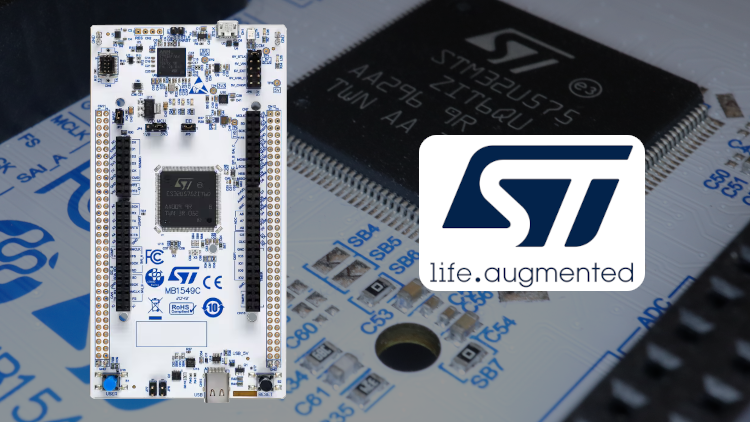
I am delighted to announce the release of my new online training course dedicated to STM32 programming, on the Udemy platform:
To the course "Getting started with STM32 MCUs programming"
PS: Udemy courses are regularly on sale, so it's worth checking from time to time ;)
I designed this training course to be the kind of course I would have liked to have found when I first started developing on STM32. At the time, as a junior engineer coming from a hardware background, I had some difficulty understanding the philosophy behind the STM32Cube ecosystem and harnessing the power of these microcontrollers, whose flexibility is one of their main strengths but can easily lead to confusion during configuration.
Presentation of STM32 microcontrollers
STM32 microcontrollers from ST Microelectronics are very commonly used in all kinds of devices: consumer electronics, automotive, medical devices and Internet of Things (IoT). You probably use it every day without even knowing it!
They are powerful microcontrollers thanks to their architecture based on an ARM Cortex-M core. STM32 are also pioneers in terms of ultra-low power consumption.
Goal and contents of the course
This video tutorial aims to quickly enable participants to become proficient in using STM32 MCUs by laying the necessary foundations for their use. The use of the most common peripherals is presented with practical projects. Theoretical lessons also cover specific topics: introduction to different types of buses (UART, I2C, SPI), presentation of the concept of interrupts, explanation of how a DMA works, etc.
In this course, we will specifically use the HAL (Hardware Abstraction Layer) drivers library provided by ST, and configure the various peripherals using STM32CubeMX, a tool allowing to configure hardware and software libraries and generate initialization code. We will also use the integrated development environment (IDE) STM32CubeIDE. Both are provided free of charge and, above all, without any limitation by ST!
The course is based on the new workflow introduced by STM32CubeIDE v2.0. Indeed, from this version, STM32CubeMX can only be used standalone, while it was also integrated in STM32CubeIDE until version 1.19. The reasons for this change were explained by ST on this post on the ST Community forum.
The course is organized as follow:
-
Introduction : overview of the course, presentation of STM32 microcontrollers, required materials, installation of tools.
-
First steps with STM32CubeIDE and STM32CubeMX : in this section we discover the tools, and create a first project using STM32CubeMX and STM32CubeIDE, which will serve as a starting point for other projects.
-
GPIOs : we explore the use of GPIOs (General Purpose Input / Output), to read the state of a push button and control an LED. In this section we also discover the concept of interrupts and exceptions, in theory and then in practice for the GPIOs.
-
Time management : we see two ways to manage time, using the HAL library: by pausing the execution of the whole application (using a function called
HAL_Delay()), and by reading the current time and comparing it.With this second method, we will see how to avoid a very common pitfall, by properly handling rollovers of the time value (this also avoids useless headaches ;) ).
-
Serial link with UART : this is the first section with a communication interface. We use the UART (Universal Asynchronous Receiver Transmitter) peripheral of the STM32. We will see 3 modes to use the UART: blocking mode (polling), interrupt mode, and DMA mode.
We will see an advanced use of the UART, which allows to receive data of unknown length, by using a feature called "idle detection" (allowing to trigger an interrupt when no new character has been received for a small duration). This technique for example allows to efficiently and reliably handle the reception of command with a variable-size payload, unknown in advance.
-
I2C bus : use of the I2C peripheral, allowing to communicate on the bus of the same name. In the practical projects, the peripheral is in turn used in blocking (polling), interrupt and DMA mode, to read the current temperature from a Texas Instruments TMP102 temperature sensor (on a Sparkfun SEN-13314 module).
In this lesson, we discuss the two ways of performing I2C readings (some slave chips sometimes only support one of them): with a "stop" condition and a new "start" condition, or with a "repeated start" (also called "restart").
-
SPI bus : use of the SPI peripheral, for the bus of the same name, which is also very common in embedded systems. This peripheral is also used in blocking (polling), interrupt and DMA mode, to read the acceleration on the 3 axes from a Adafruit ADXL343 accelerometer module.
-
Timer : timers are used to count the time, generate interrupts at regular intervals, but also to generate PWM signals.
In this course of approximately 5.5 hours, the errors handling is discussed, and references to the official documentation from ST are provided to help participants find the information they need for their own projects.
This course is particularly aimed at students and engineers who want to quickly start developing on STM32. Experience with other types of microcontrollers (or even Arduino) can help, but is not mandatory. However a basic knowledge of the C language is required, as we will be developing in this language.
Interested ? In this case I'm looking forward to seeing you on Udemy for this course! By using the link at the top of this article, you will enable me to receive a larger share of the sale price, which will allow me to develop new courses like this one, thank you in advance!